↗ Now in beta
An editor for websites that live in code.
Commit makes content teams feel like they're editing your website through a CMS, even if your docs live in GitHub.
Free to start · Maintains GitHub as your source of truth
Edit any markdown file in seconds
No terminal, no cloning, no cryptic file paths
Every save commits directly to GitHub
Engineering moved your docs to the codebase, and marketing lost their editor.
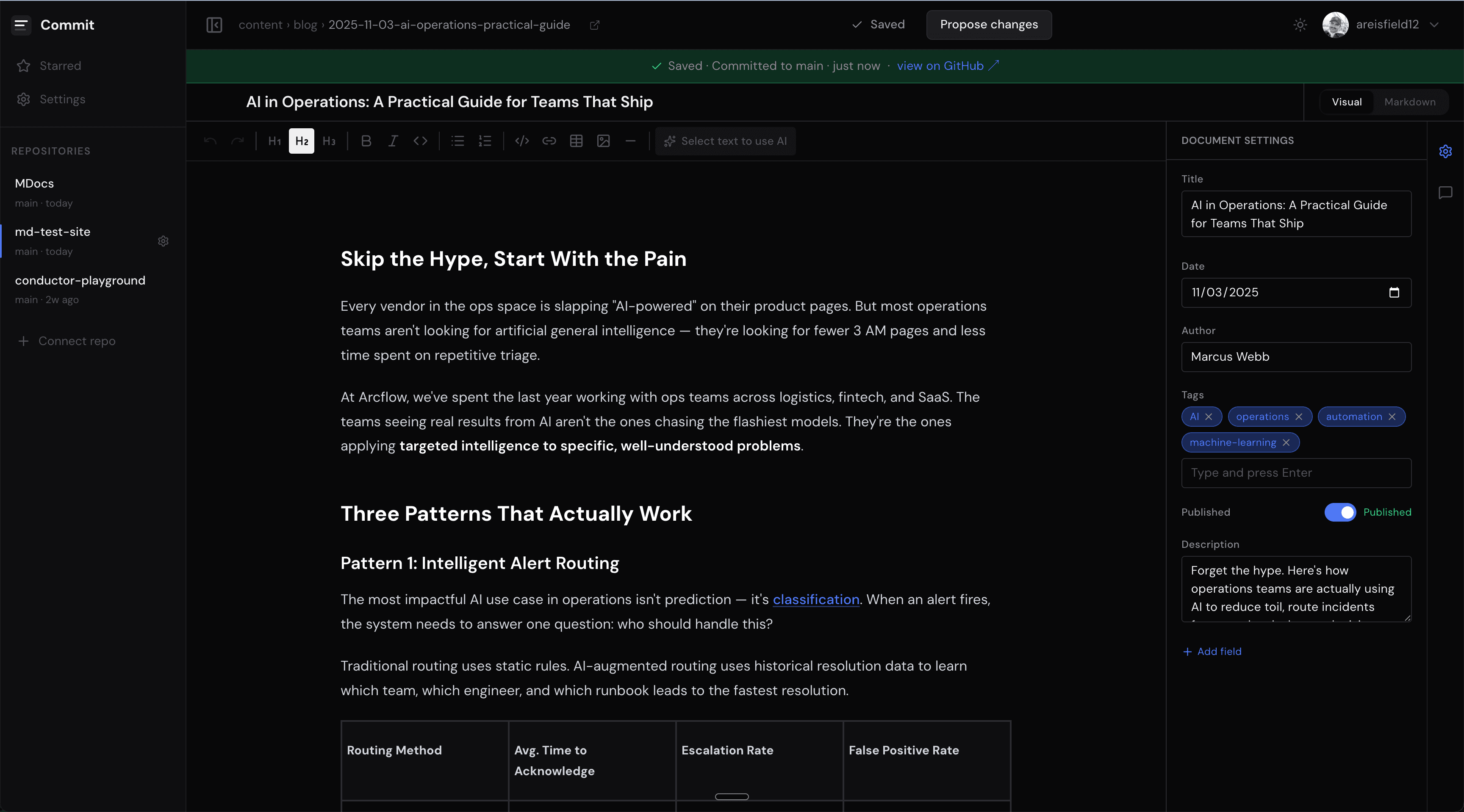
Commit gives it back.
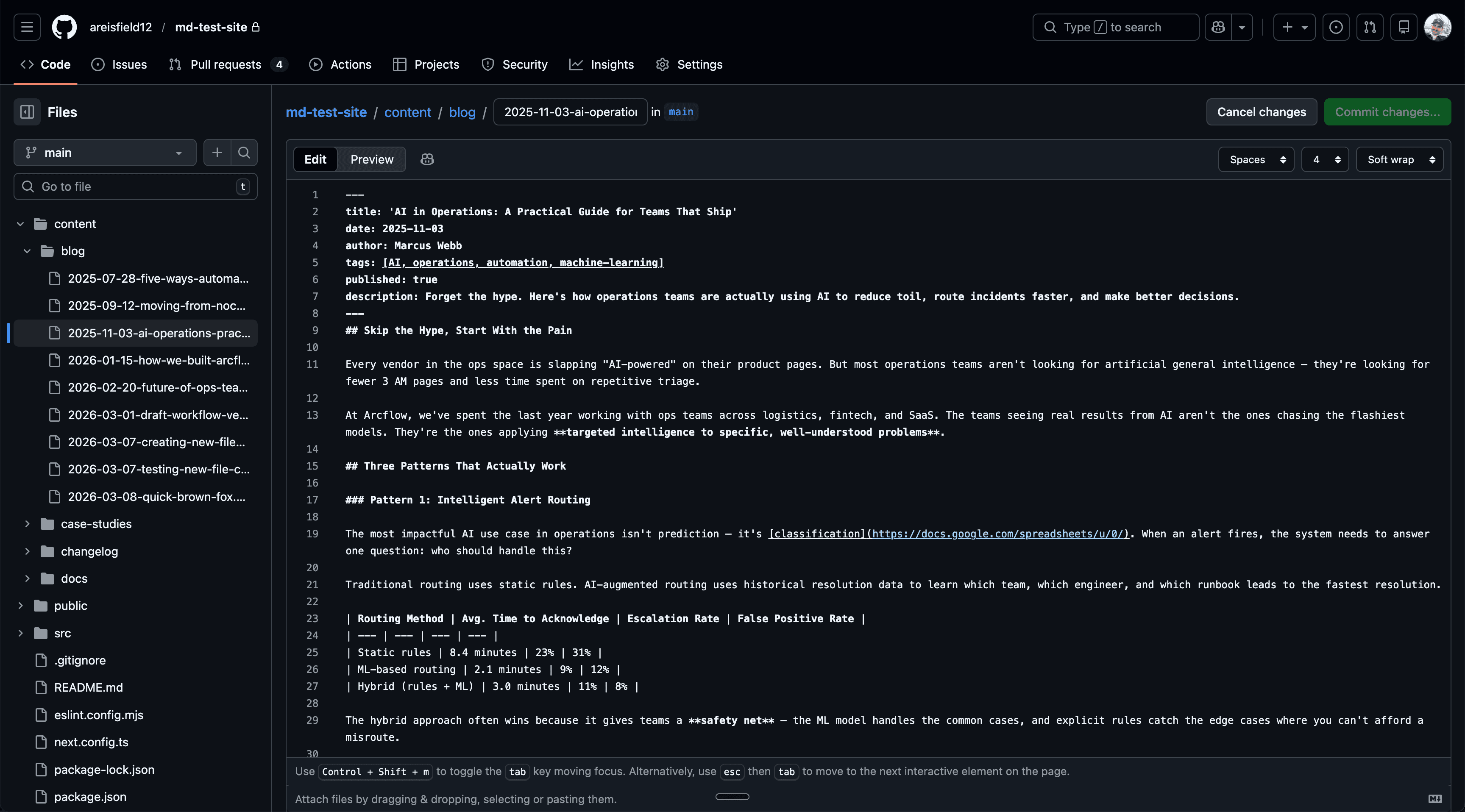
Before: GitHub
After: Commit
Editing in GitHub
Editing in Commit
How it works
Up and running in minutes.
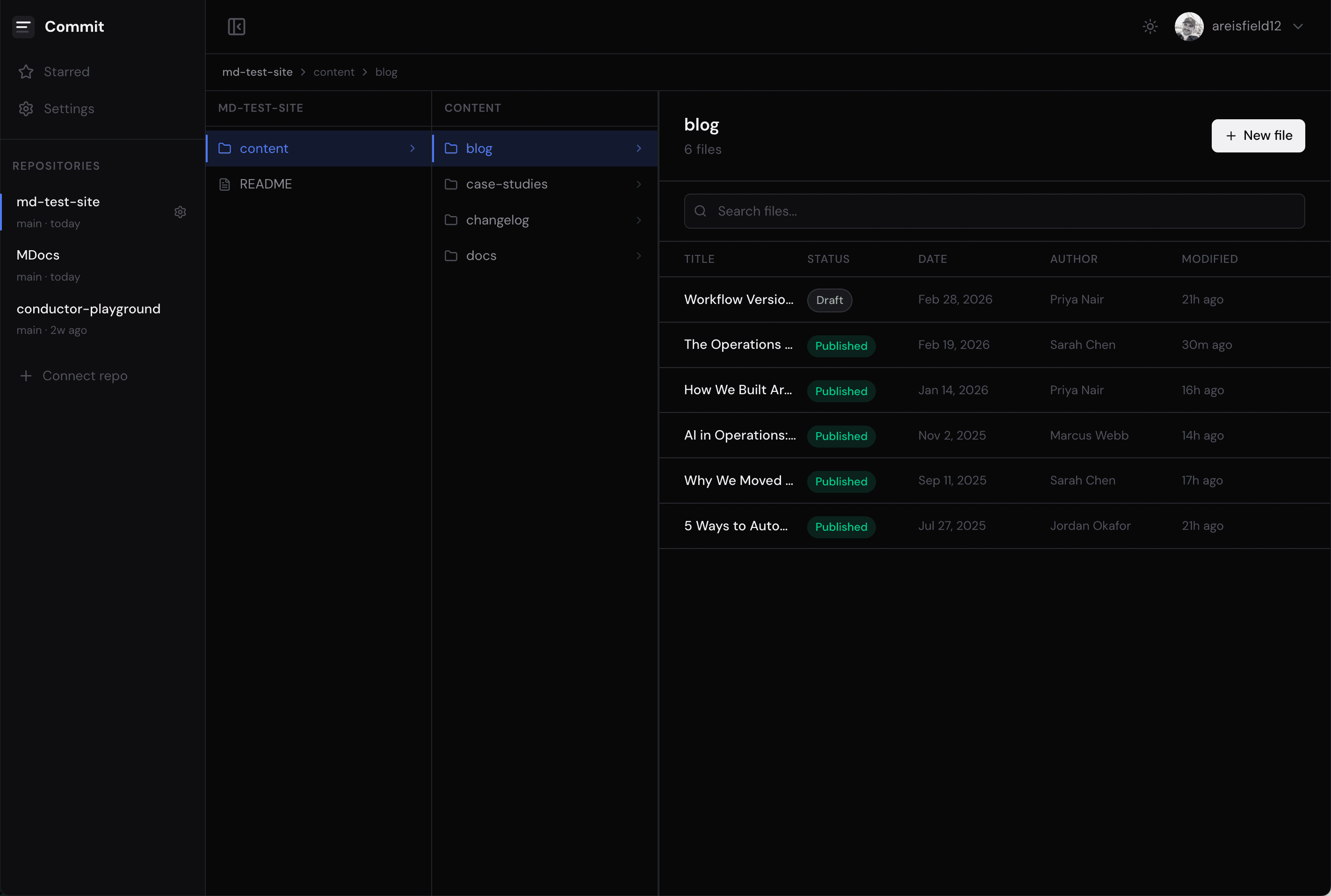
1
2
3
Step 1
Connect your repo
Point Commit at any GitHub repository. Your file structure appears instantly — no configuration, no migration.
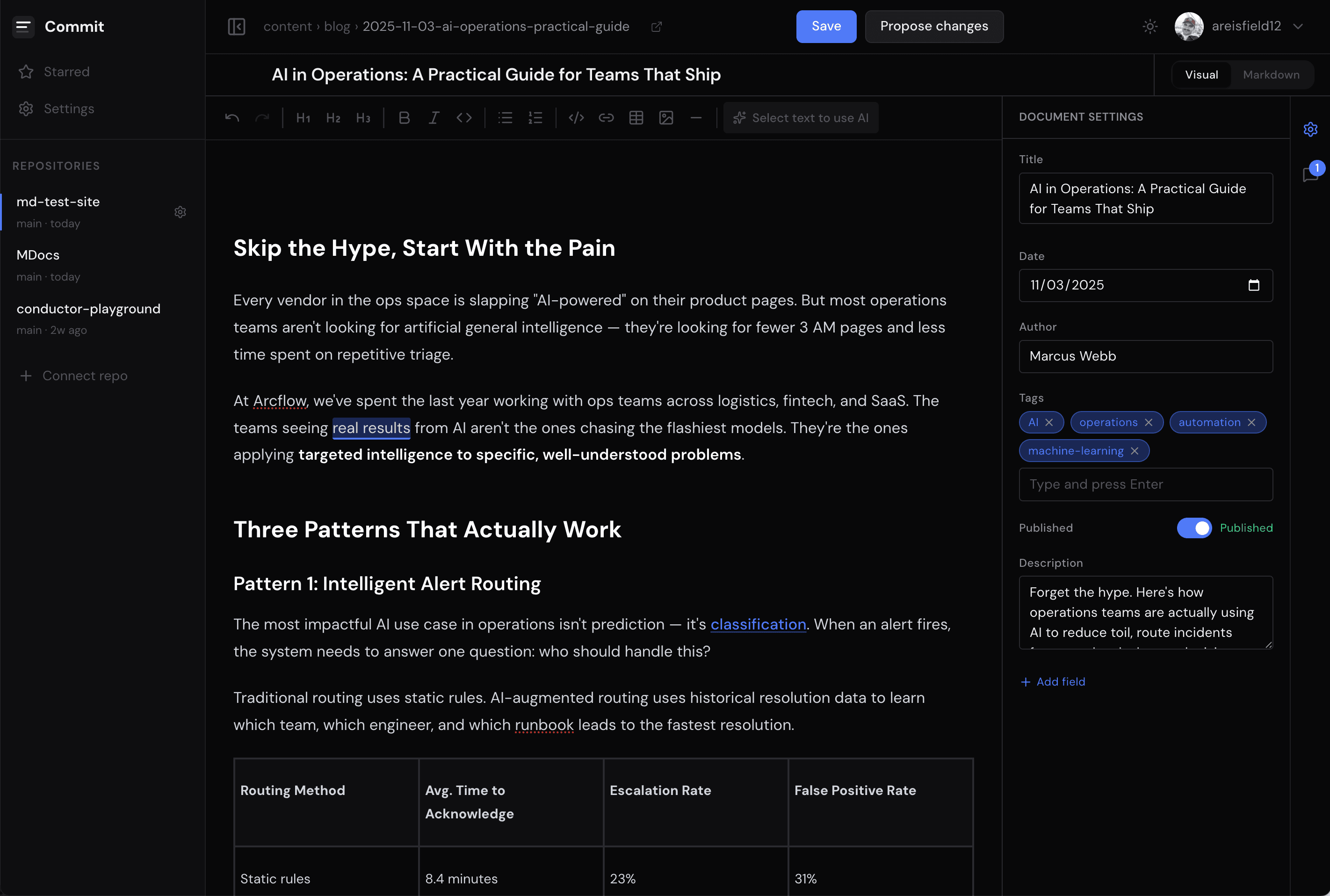
Step 2
Open any file and start editing
Your team sees a clean, familiar editor. No markdown syntax, no terminal commands. Just the content, exactly as it should look.
Step 3
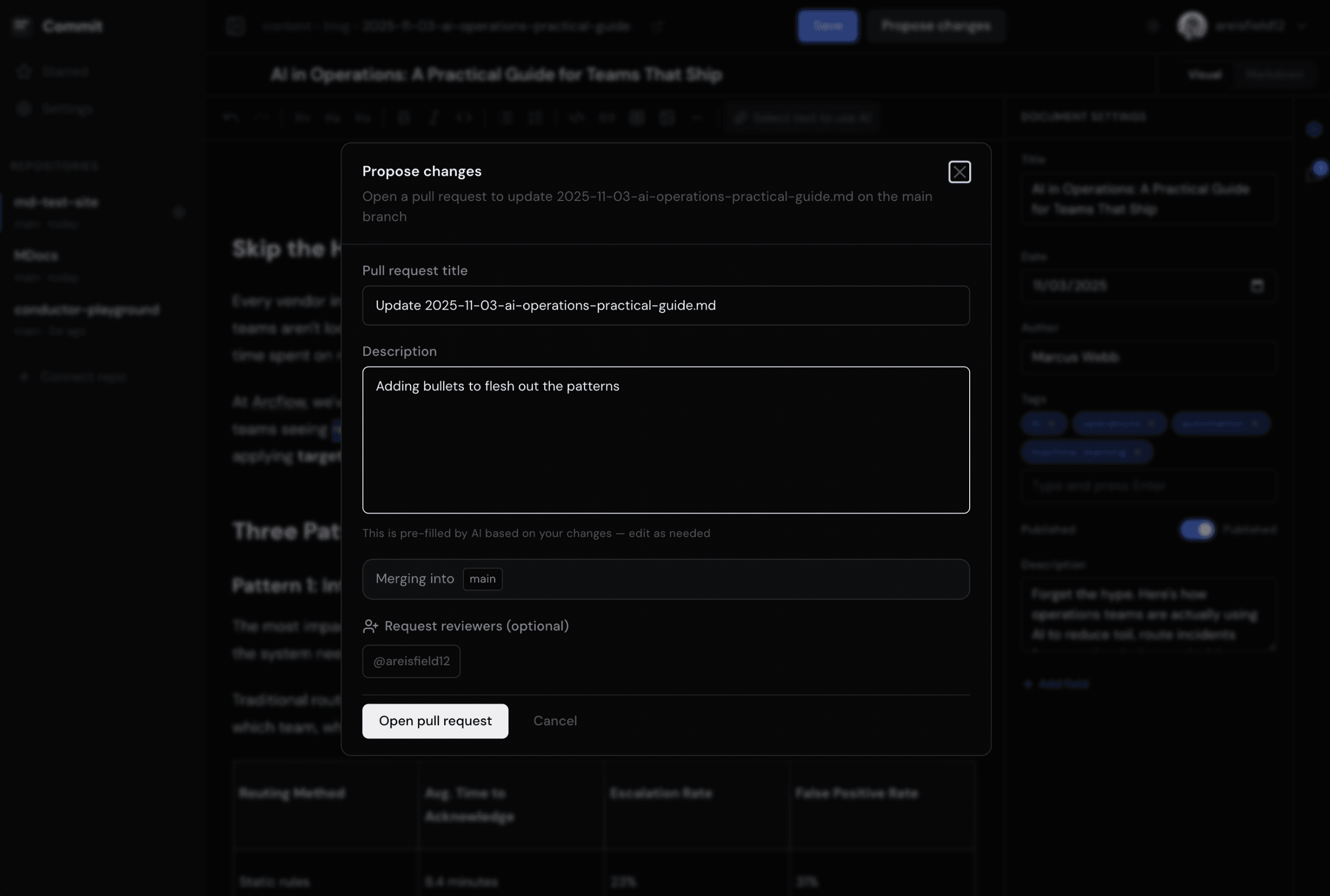
Save and propose changes
Every edit becomes a commit. Every submission becomes a pull request. Your engineers stay in control — your team just never has to think about any of that.